
The Question Bank helps students prepare for interviews by reviewing commonly asked questions based on a specific job title or industry. Students can use this feature to practice responses, review sample answers, and learn helpful tips before an interview.
1: Navigate to the Question Bank
Click Interview in the left-side menu, then select Question Bank.
(From the left menu, open Interview and click Question Bank.)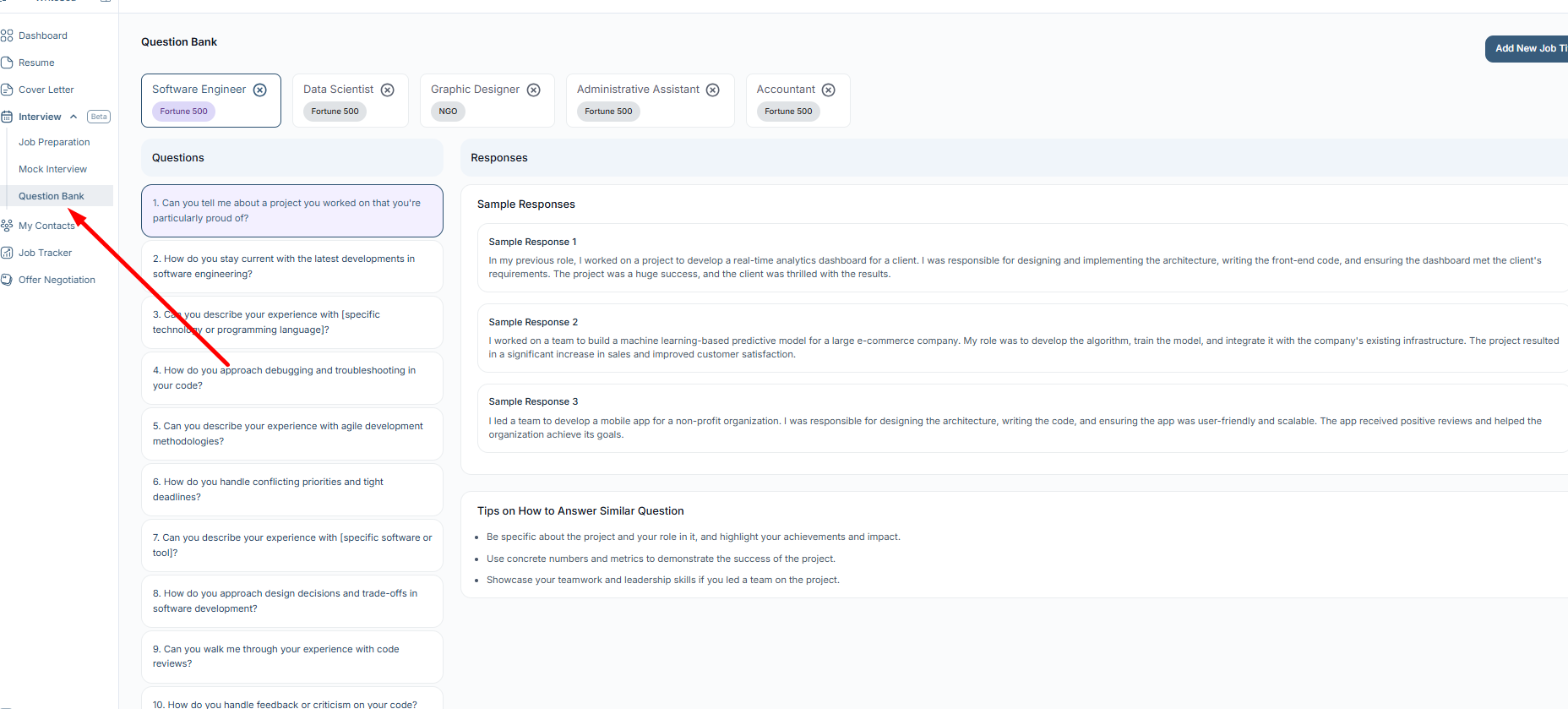
This will open the Question Bank page, where students can view available job titles and interview preparation questions.
2: Select or Add a Job Title
At the top of the page, students can select a job title or industry category, such as:
- Software Engineer
- Data Scientist
- Graphic Designer
- Administrative Assistant
- Accountant
Each job title contains interview questions related to that role.
If the desired role is not listed, click Add New Job Title to add another job title.
(Use the job title cards at the top of the page, or click Add New Job Title to add a new role.)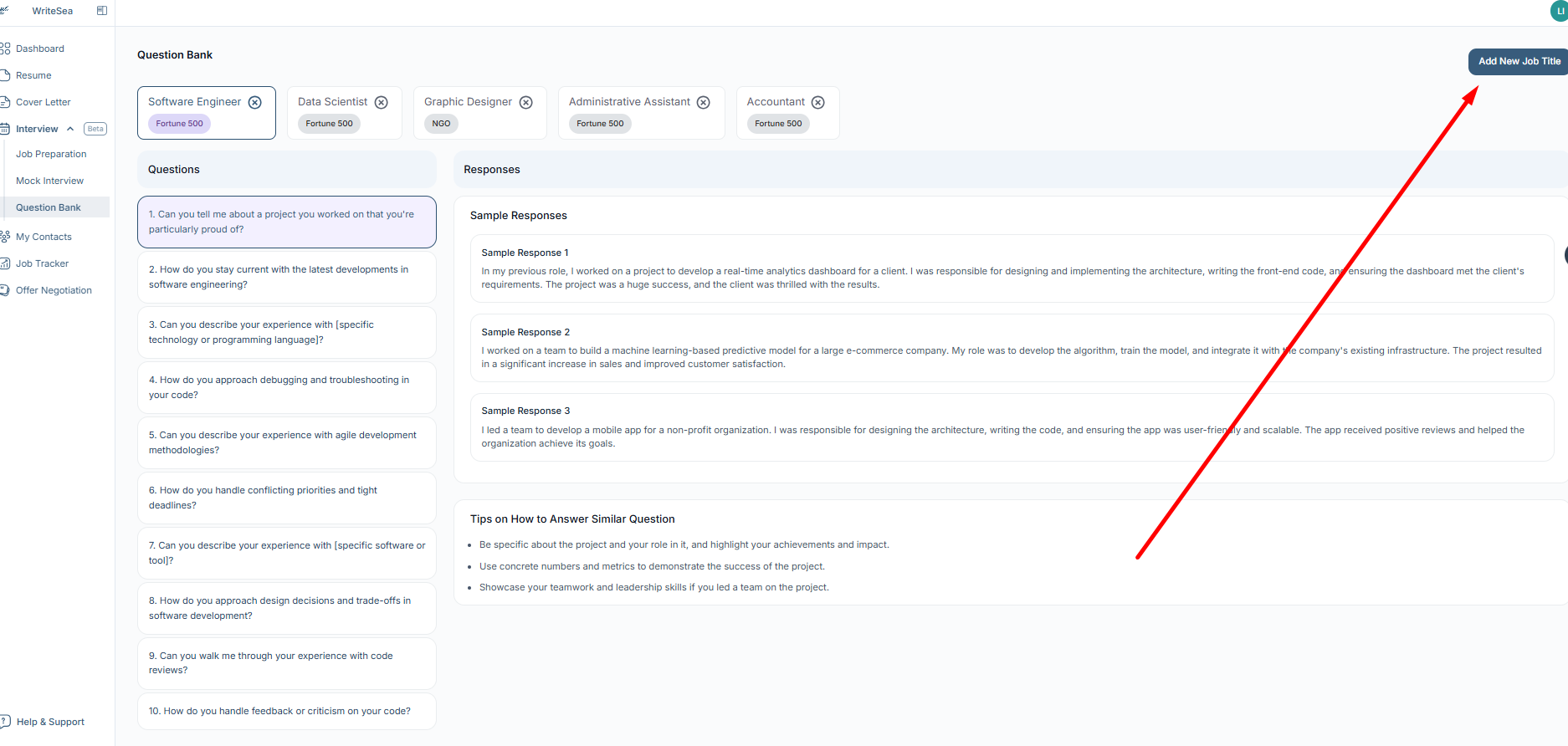
Selecting the correct job title helps students review questions that are more relevant to their target career path.
3: Review Interview Questions
The left side of the page shows a list of commonly asked interview questions for the selected job title.
Click any question to view related guidance on the right side of the page.
Students may see:
- Sample responses
- Different ways to structure an answer
- Tips for answering similar questions
- Suggestions for highlighting skills, experience, and achievements
(Select a question from the list to view sample responses and tips on how to answer it effectively.)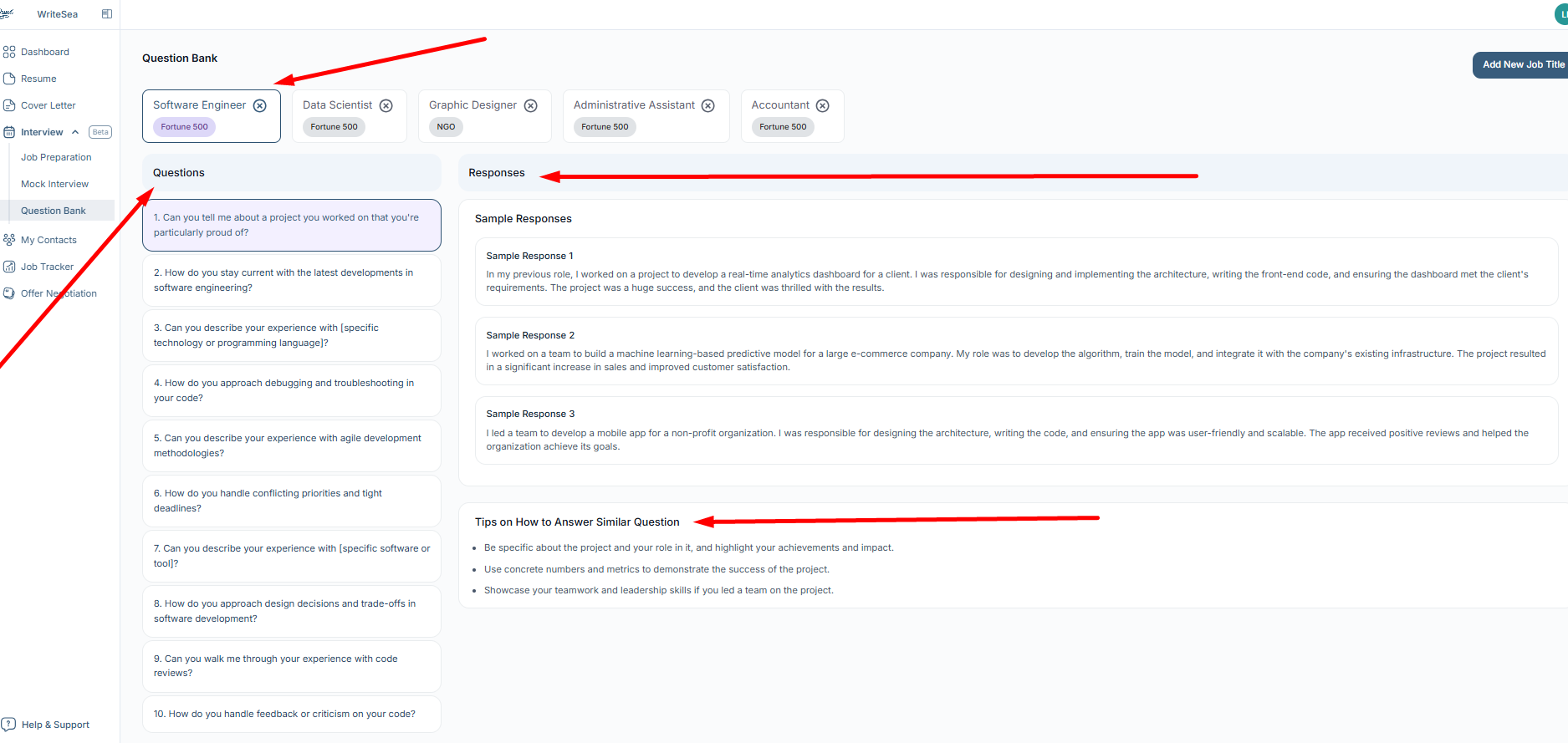
Students can use these examples to understand what a strong answer looks like, then customize their own response using personal experience, projects, internships, coursework, or work history.
4: Use Sample Responses as Guidance
The sample responses are designed to help students understand how to organize their answers. Students should not copy the responses word-for-word. Instead, they should personalize the answer based on their own background.
A strong interview answer should be:
- Clear and focused
- Relevant to the question
- Supported by a real example
- Connected to the role
- Professional and easy to understand
5: Review Tips for Similar Questions
The tips section helps students understand what employers may be looking for in an answer.
For example, tips may encourage students to:
- Be specific about their role in a project
- Mention results or impact
- Use numbers or examples when possible
- Highlight teamwork, leadership, or problem-solving skills
- Keep the answer organized and concise
These tips can also help students prepare for similar questions they may hear during real interviews.
6: Improve Your Interview Preparation
Students can use the Question Bank before interviews to practice and improve their confidence. They can review multiple questions, compare sample responses, and prepare their own answers in advance.
To get the most value from this feature, students should:
- Practice answering questions out loud
- Write short notes for key examples they want to mention
- Focus on real experiences and achievements
- Review questions related to their target role
- Use the tips to improve clarity and structure
Why This Feature Is Useful
The Question Bank helps students prepare for interviews by giving them role-specific questions, sample answers, and practical tips. This makes it easier to understand what employers may ask and how to respond in a clear, confident, and professional way.