
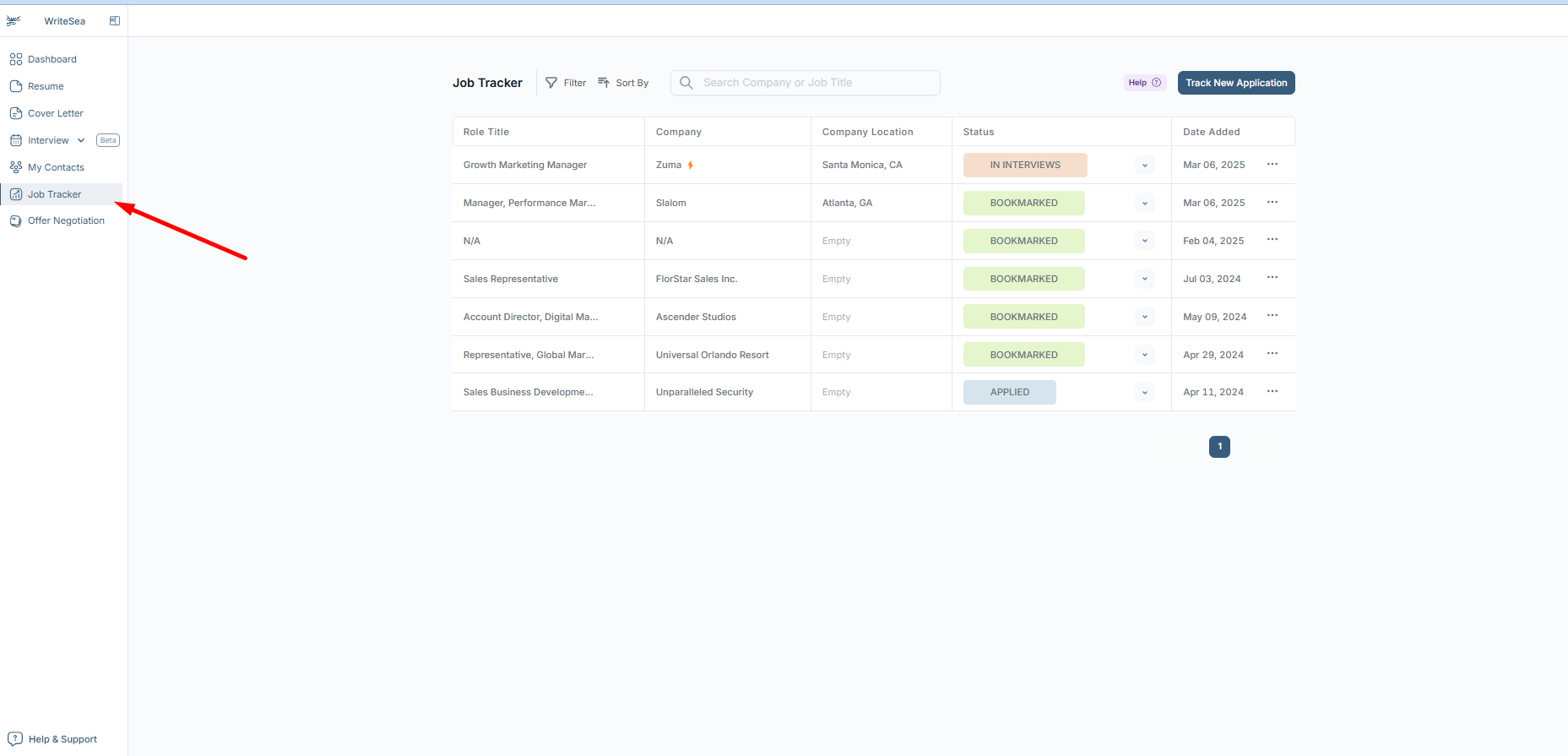
1: Access the Job Tracker
- Click "Job Tracker" in the left menu.
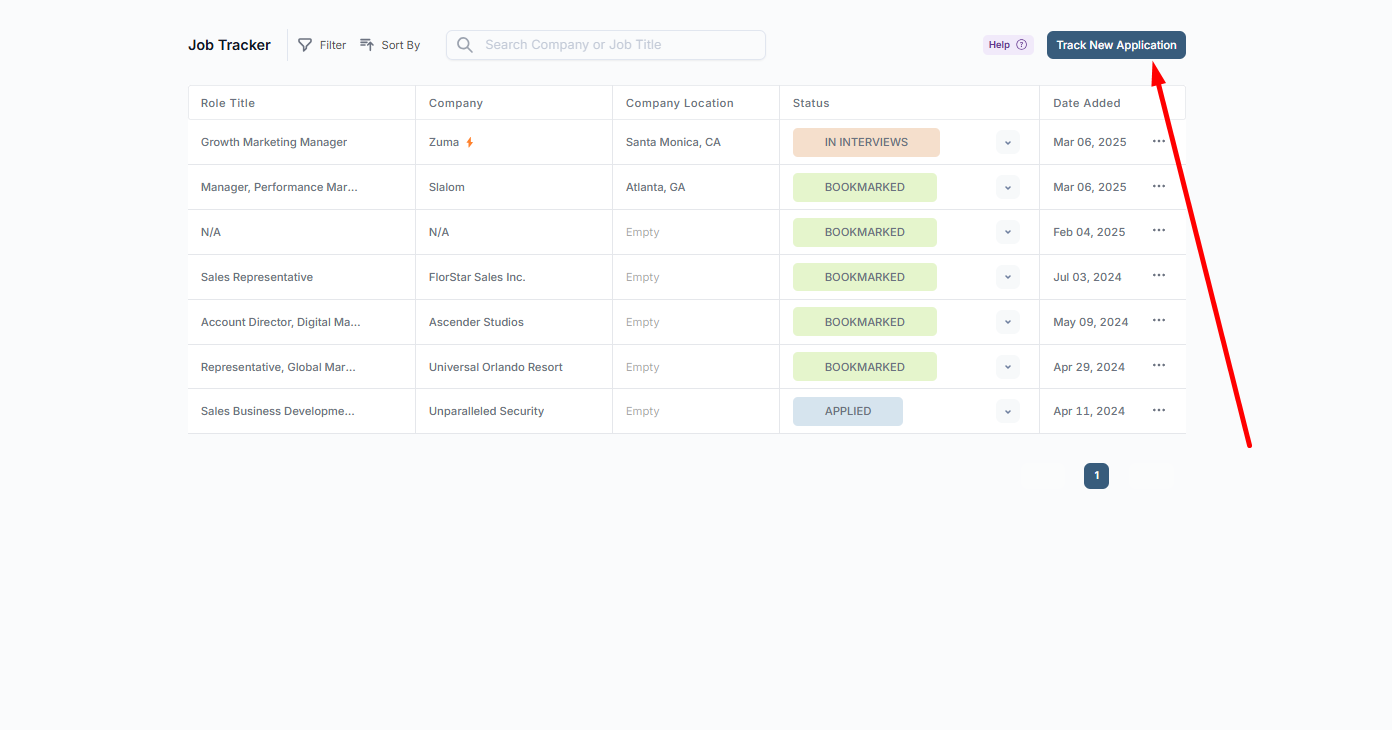
2: Add a New Job Application
- Click "Track New Application" and enter:
- Job Title
- Company Name
- Job Location
- Date Applied
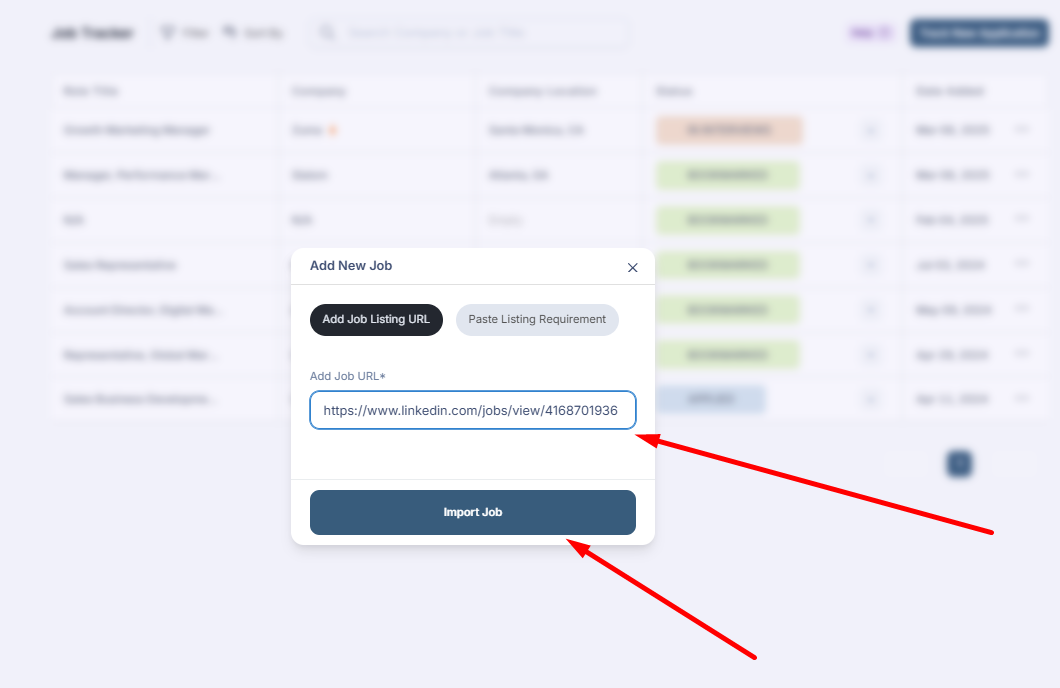
3: Import Job Listings Automatically
- Paste a job listing URL from sites like LinkedIn, Indeed, Handshake, 12Twenty, etc.
- Click "Import Job" to extract job details automatically.
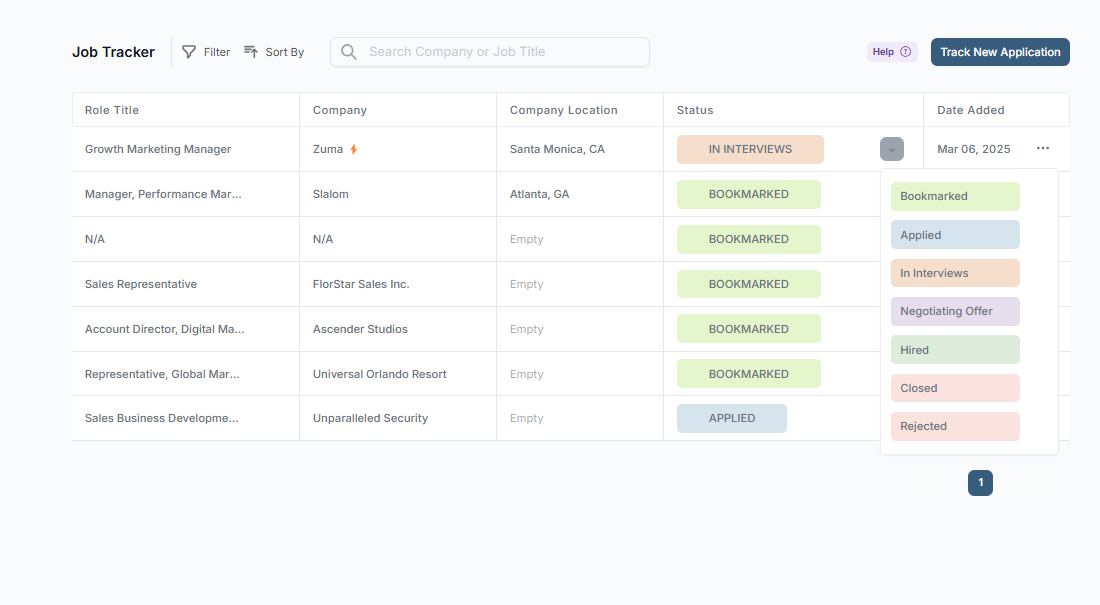
4: Track Your Application Status
- Change the status of each job (e.g., Applied, Interviewing, Offer Received, Rejected).
- Monitor which jobs you are progressing in and plan follow-ups accordingly.
5: Gain Insights into Your Job Search
- Career services staff can review student job applications to provide better support.